.png?width=75&height=75&name=Untitled%20design%20(22).png)
Set up and use proposal templates in Ressio to standardize and streamline your document approval workflow. This article explains how admins can create, manage, and apply reusable proposal templates for projects.
Benefits of Proposal Templates:
-
Standardize common contracts and scope documents
-
Save time creating proposals for similar projects
-
Support various situations with multiple template types
Table of Contents
Navigation and Layout
Access proposal template management in the Company Overview, under Company Settings → Templates tab.

💡 Only admins can create or edit templates.
Creating a Proposal Template
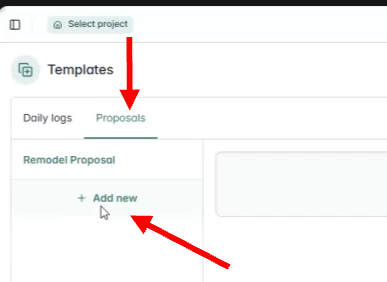
Under the Proposals tab, hit '+ Add new' on the left hand side.
Template creation allows detailed customization:
-
Name
-
Description
-
Terms & Conditions
-
Choose what data, if any, to display (scope of work, pricing, etc.)
-
Hide rows, pricing, or summaries for basic contracts
-
Require all customers to sign, if needed
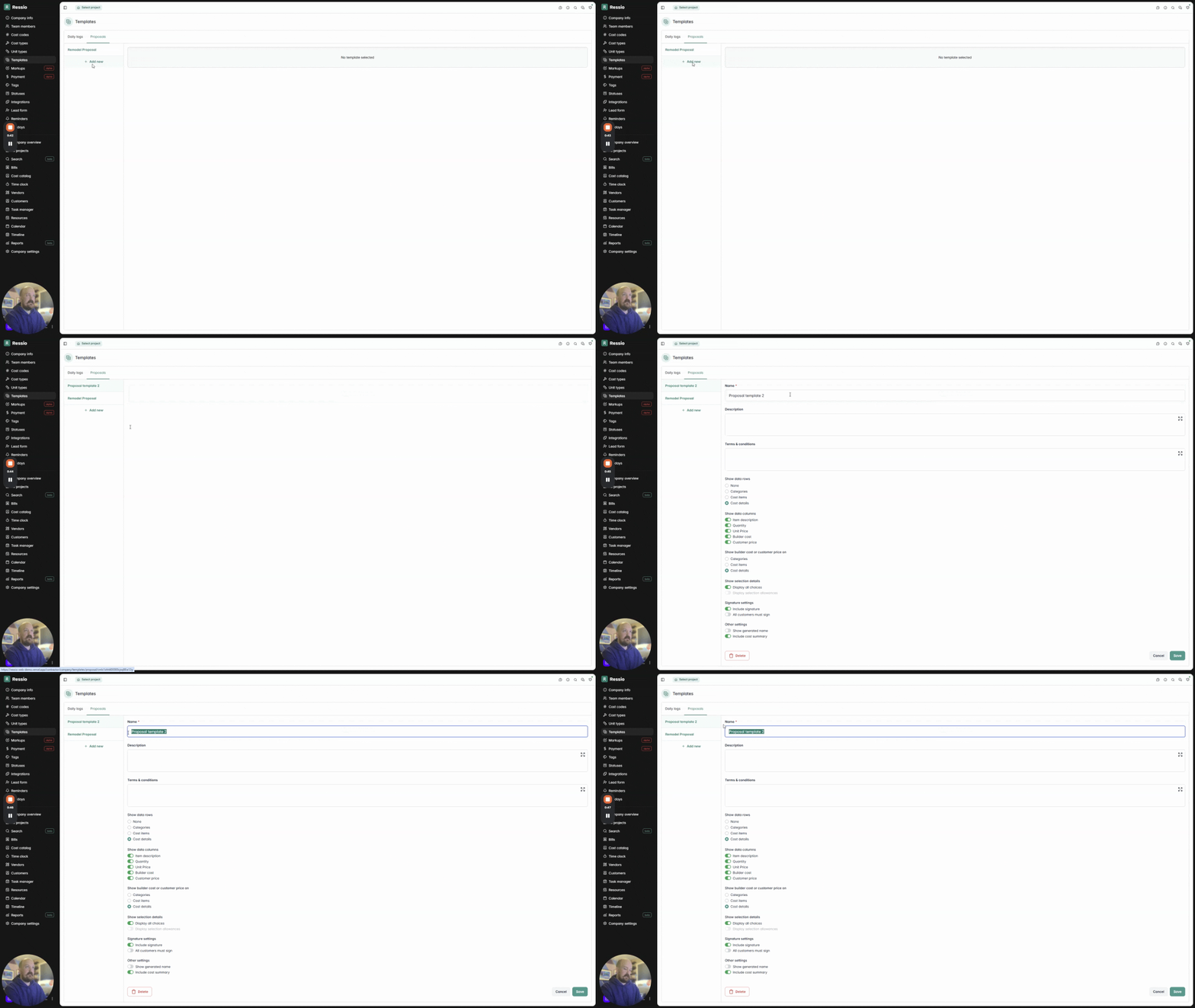
Fill out each section and hit 'Save'.
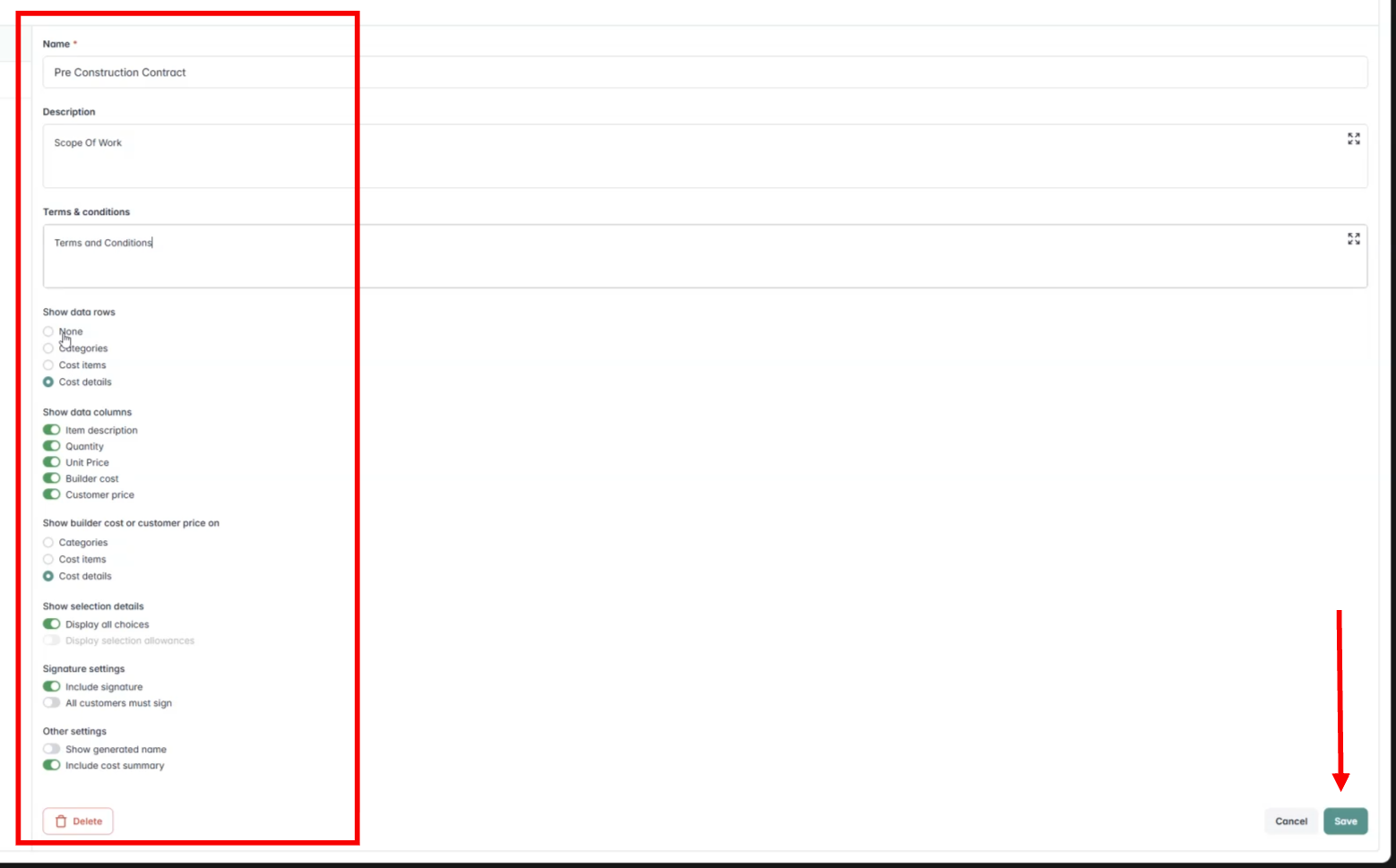
✅ Manage multiple templates for various contract types, from remodel contracts to pre-construction agreements. Edits can be made at any time.
Applying a Proposal Template in a Project
Within a specific project, proposal templates are quickly accessible. Choose your project and click the Estimate tab. Hit Create a proposal in the top right hand corner of your Estimate.
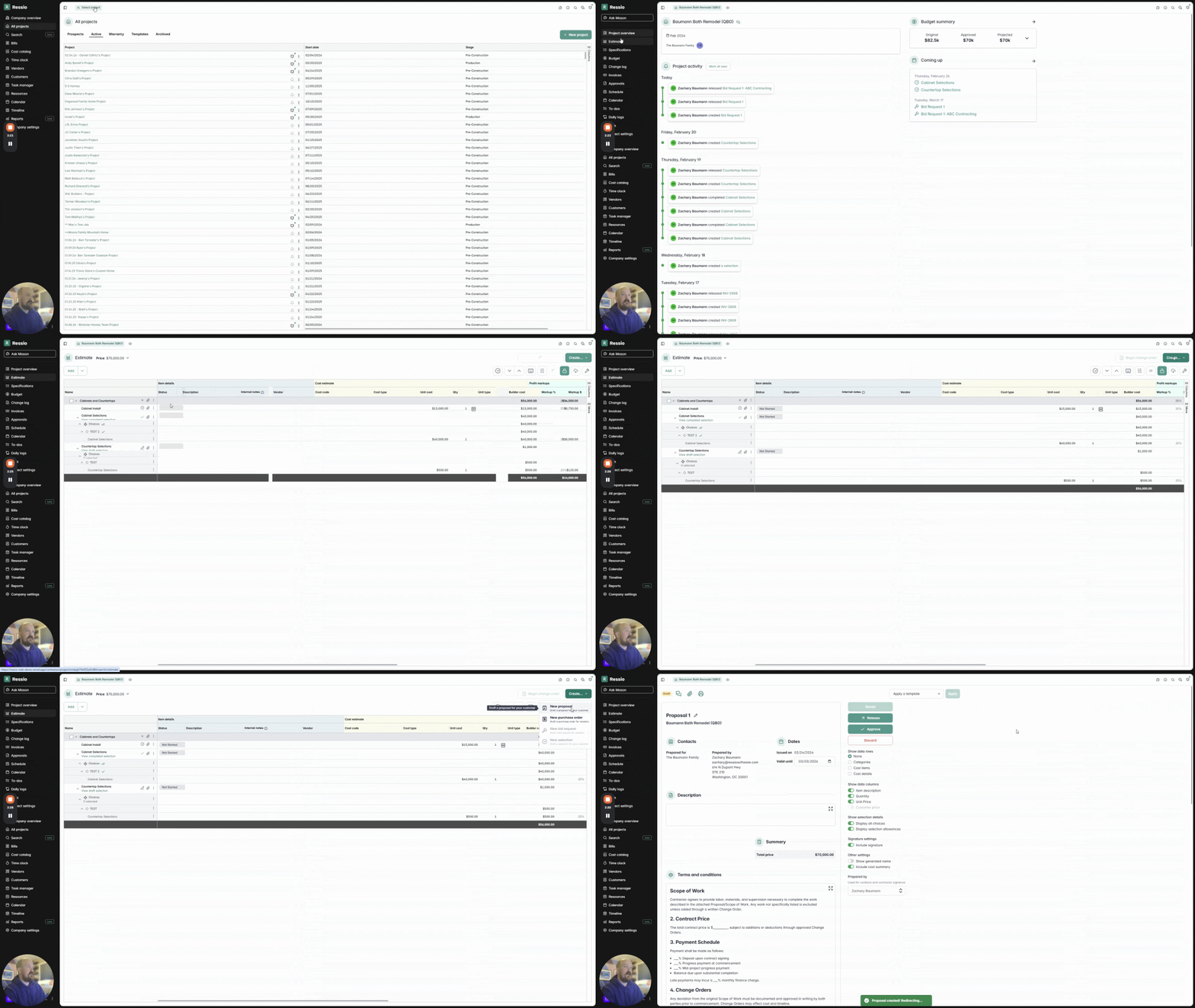
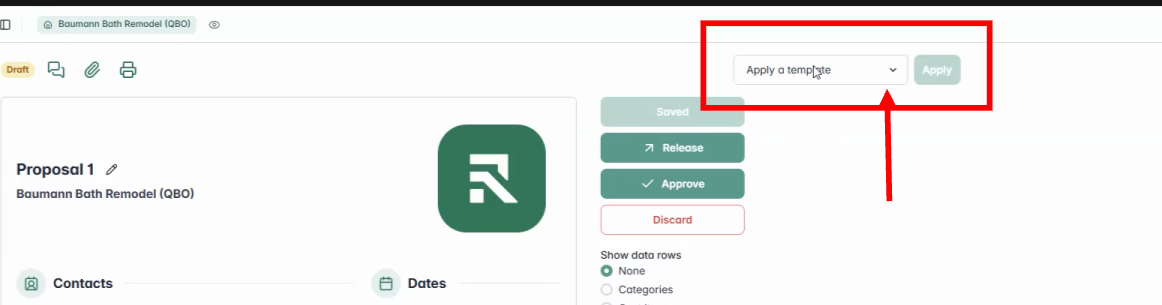
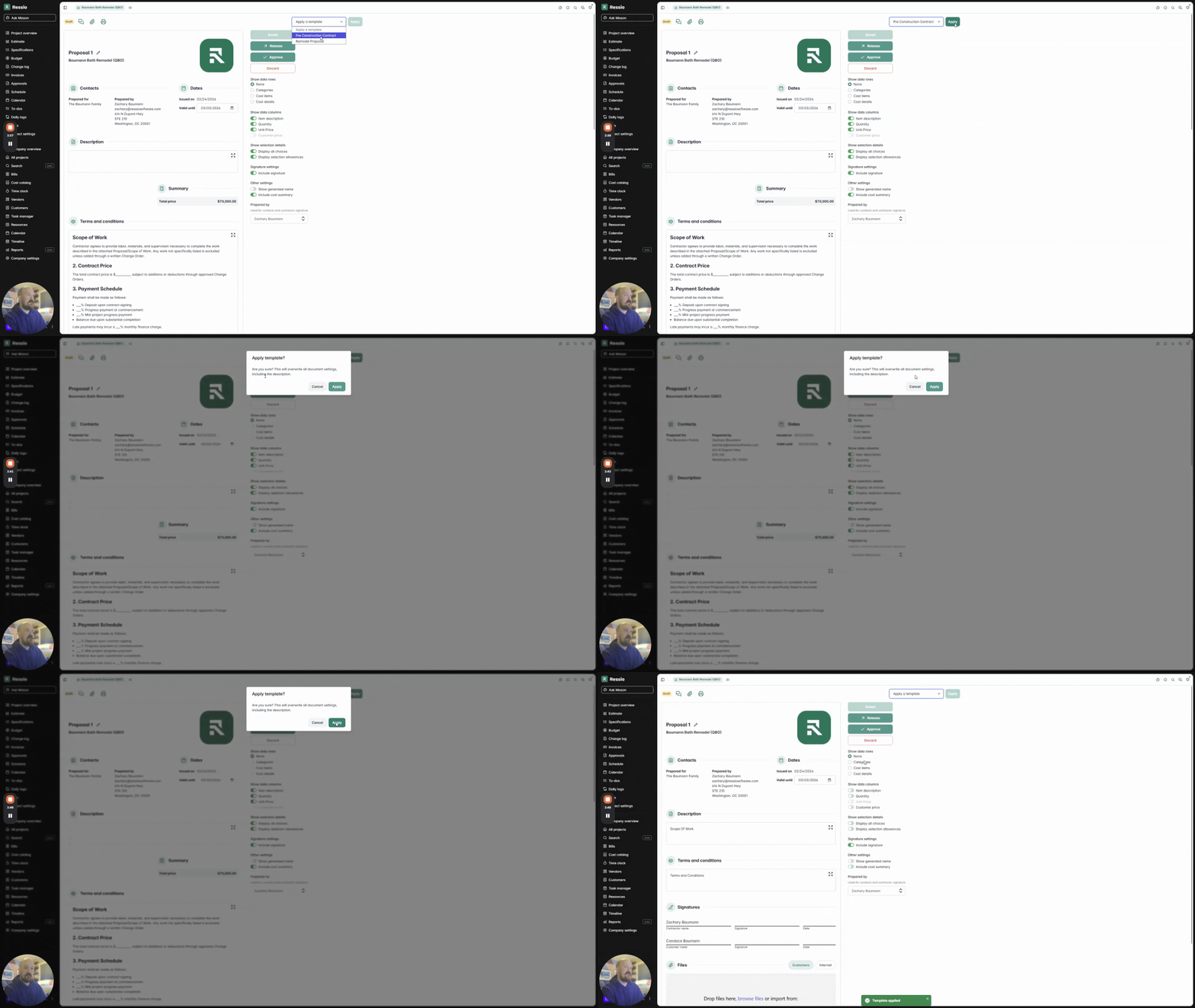
On your proposal, in the top right hand corner will see 'Apply a template'. Use the drop down menu to choose your proposal template.
Pick the desired proposal template. A pop-up window will appear to confirm overwrite of document settings, including the description. Hit 'Apply' when ready.
Review inserted data (description, terms, and signature lines), and make adjustments as needed.
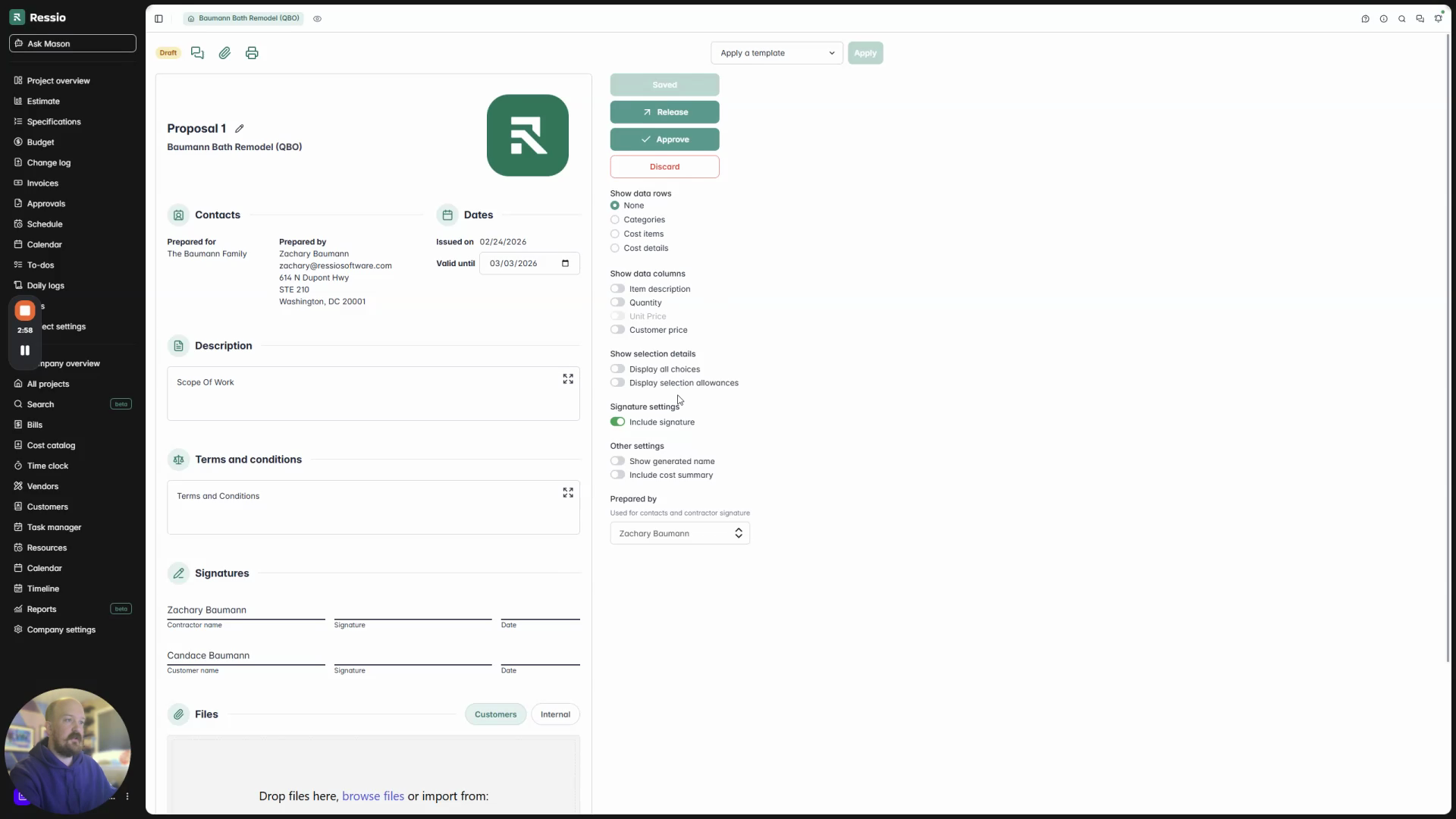
💡 Templates appear pre-formatted, showing only relevant fields (e.g., description, terms, signatures), based on the template setup. Multiple template types support different workflows like reconstruction contracts, scope of work, and RFQs.
🎓 To learn more about proposals, read Proposal Overview.
If you have any questions or need further assistance, contact our support team at support@ressiosoftware.com. We're here to help!