.png?width=75&height=75&name=Untitled%20design%20(22).png)
The Ressio platform is available as a Progressive Web App and can be saved as an app icon to the home screen of your mobile device. Launch Ressio in a web browser, and save it to your home screen following the steps below.
Table of Contents:
Instructions for Android/Samsung
Instructions for iOS Devices
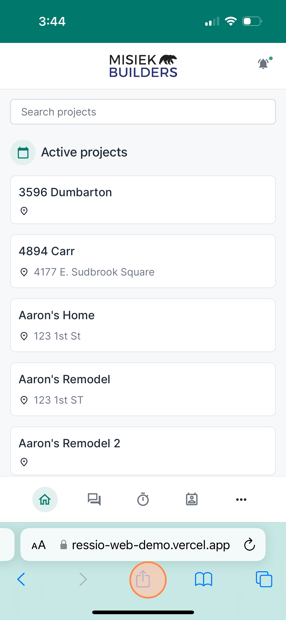
To save Ressio as an App, launch the Ressio platform in a mobile web browser by navigating to https://www.ressio.app/. Once logged in, tap the "share" icon.
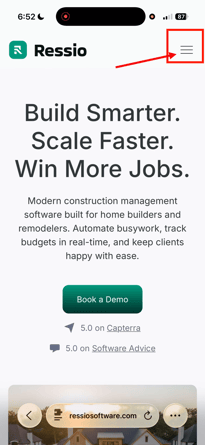
You can also login by going to ressiosoftware.com and clicking the three bars in the top right hand corner and hitting "Log in".
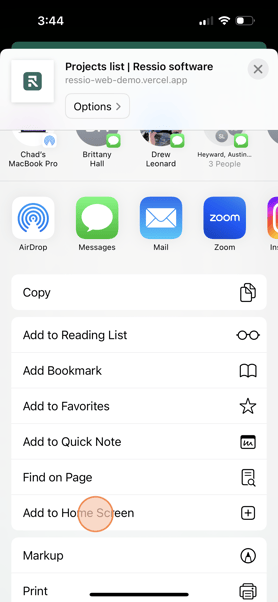
Next, select "Add to Home Screen".
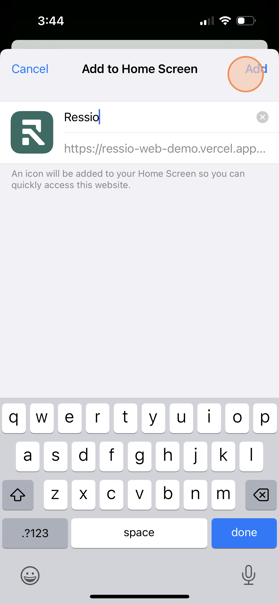
Finally, click "Add" in the top right corner of the page.
Note: You can edit the name of the app if desired by changing the name in the text field.
How to Video - iOS
Instructions for Android Devices
Launch Chrome and visithttps://www.ressio.app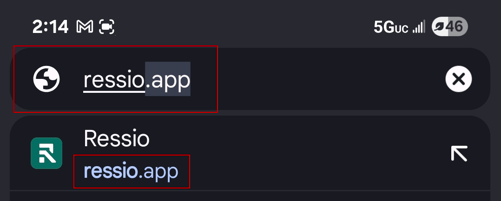
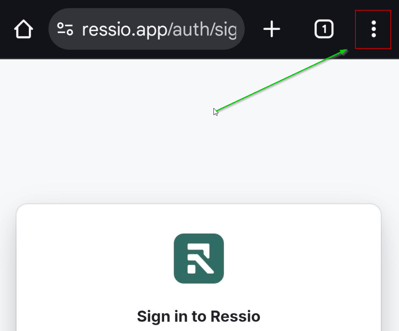
Tap the ⋮ menu (three dots) in the top-right corner.
Select “Add to Home screen.”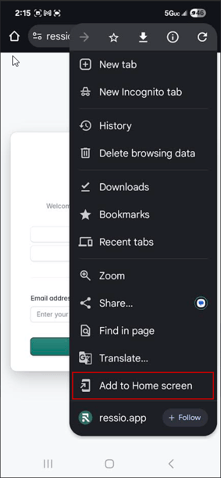
Select Install from the menu at the bottom of the screen
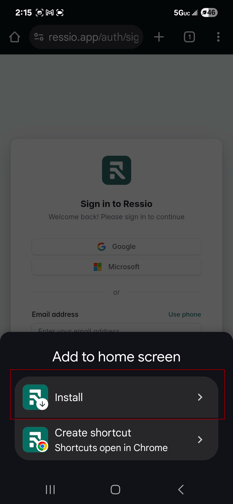
You may get another pop-up to confirm the install. If so, click install one more time
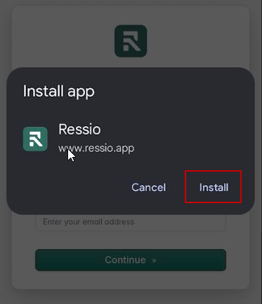
Now you should be able to find your Ressio App in the Apps menu!
How to Video - Android Devices
If you still have unanswered questions or need further assistance, please don't hesitate to reach out to our dedicated support team at support@ressiosoftware.com. We're here to help!