.png?width=75&height=75&name=Untitled%20design%20(22).png)
This article is for users who have accepted their invite, activated their account, and signed in successfully at least once, but are now having trouble signing back into Ressio. We’ll walk through the most common reasons this happens and what to do next.
💡 Recommend browser is Google Chrome
What you need:
-
Correct email (the email that was used for the initial invite)
- https://www.ressio.app
⚠️ The original invite has a link that is a ONE time use so it does expire. The link in the invite will not work after signing in the first time.
👉 Before beginning, please check your spam folder in your email. You can search for nofications@ressio.app.
When you are ready, take the following steps:
If you have a Google email:
-
Sign out of Ressio using this URL https://www.ressio.app/auth/signout
- Once you are fully signed out go back to https://www.ressio.app
- Hit the the "Google" button. You will then be prompted to enter you password.
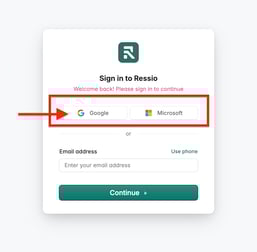
- After entering you password, you will be brought to you account.
If you do not have gmail or if you type in your email, you will be prompted to enter a code that is sent to your email.
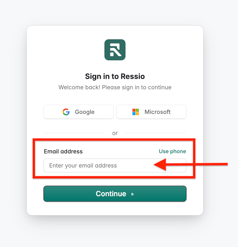
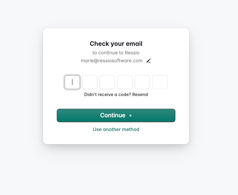
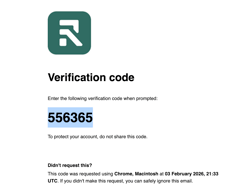
Copy and past the code and you will be brought to your account.
⚠️ It is a one time code and will expire if not used within a few minutes.
If you are still getting an error, try an Incognito window and follow these steps:
-
Open an Incognito window
-
Enter https://www.ressio.app into the browser
- Follow the same steps above depending on your email (gmail or other).
- If you are successful, please make sure to clear cache and cookies in your browser.
🎓 To get step-by-step guide on how to clear cache and cookies, read Clearing Browser Cache For Commonly Used Browsers.
⚠️ If you continue to get an error and still having trouble signing back in, please reach out to support through chat or email support@ressiosoftware.com.